📘 React Native Installation Guide
✅ Step 1: Install Node.js & Watchman
Why?
React Native requires Node.js to run JavaScript code and manage packages.
Steps:
- Go to: https://nodejs.org
- Download the LTS version and install it normally
Check Installation:
node -vnpm -v
macOS Only (Install Watchman):
brew install watchman✅ Step 2: Install Java JDK 17
Why?
React Native requires Java Development Kit (JDK) 17 for Android development.
Download JDK 17 from Oracle or OpenJDK
Set JAVA_HOME environment variable:
macOS/Linux:
export JAVA_HOME=$(/usr/libexec/java_home)Windows:
Go to Control Panel → System → Environment Variables → Add JAVA_HOME✅ Step 3: Install Android Studio
Why?
Android Studio provides the Android SDK and emulator tools for Android development.
Download from: https://developer.android.com/studio
During installation, ensure these are selected:
- Android SDK
- Android Emulator
- Android Virtual Device
- Android SDK Platform 35
- Intel x86 Emulator Accelerator (HAXM)
✅ Step 4: Set Up Environment Variables
Why?
Environment variables help React Native find Android SDK tools.
macOS/Linux (add to ~/.zshrc or ~/.bash_profile):
export ANDROID_HOME=$HOME/Library/Android/sdk
export PATH=$PATH:$ANDROID_HOME/emulator
export PATH=$PATH:$ANDROID_HOME/platform-tools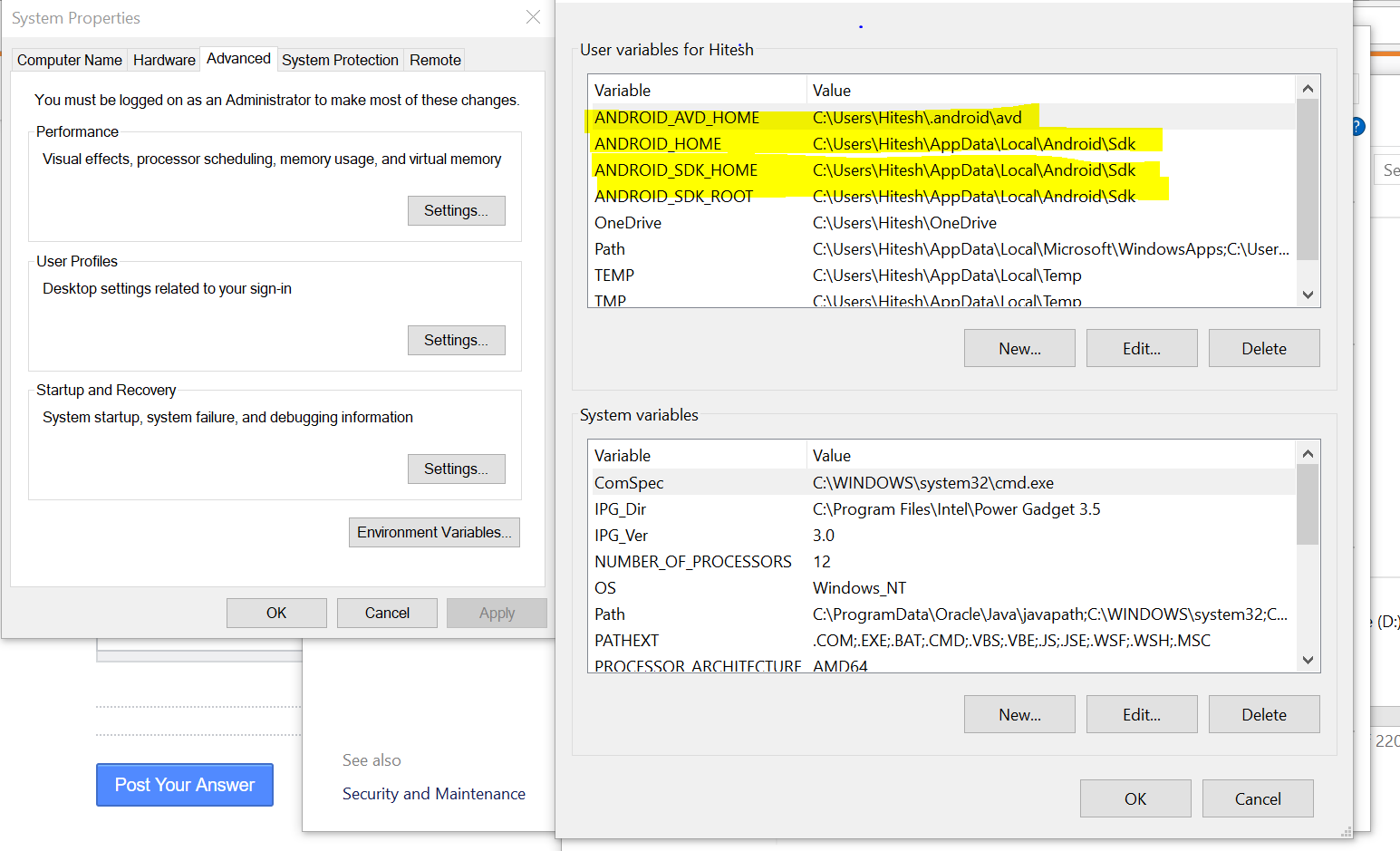
Then run:
source ~/.zshrcWindows:
ANDROID_HOME = %LOCALAPPDATA%\Android\Sdk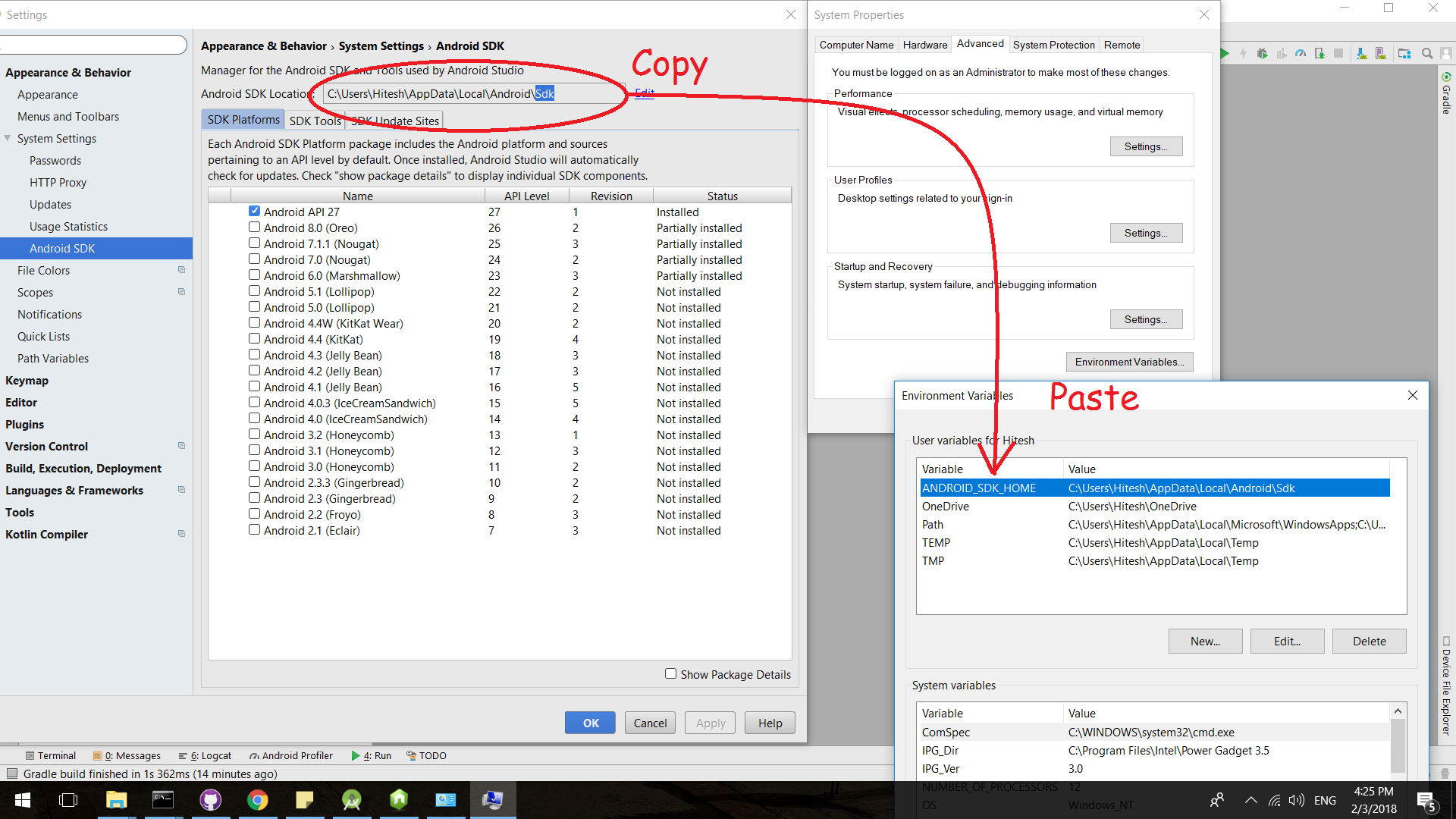
Update Path:
%LOCALAPPDATA%\Android\Sdk\platform-tools
%LOCALAPPDATA%\Android\Sdk\emulator
✅ Step 5: Install React Native CLI
Why?
It allows project creation and build commands from terminal.
npm install -g react-native-cliOr follow the latest steps via official docs
✅ Step 6: Create a New React Native Project
Run:
npx react-native init MyApp✅ Step 7: Run Your React Native App
Navigate to your app folder:
cd MyAppnpx react-native run-androidnpx react-native run-ios # macOS only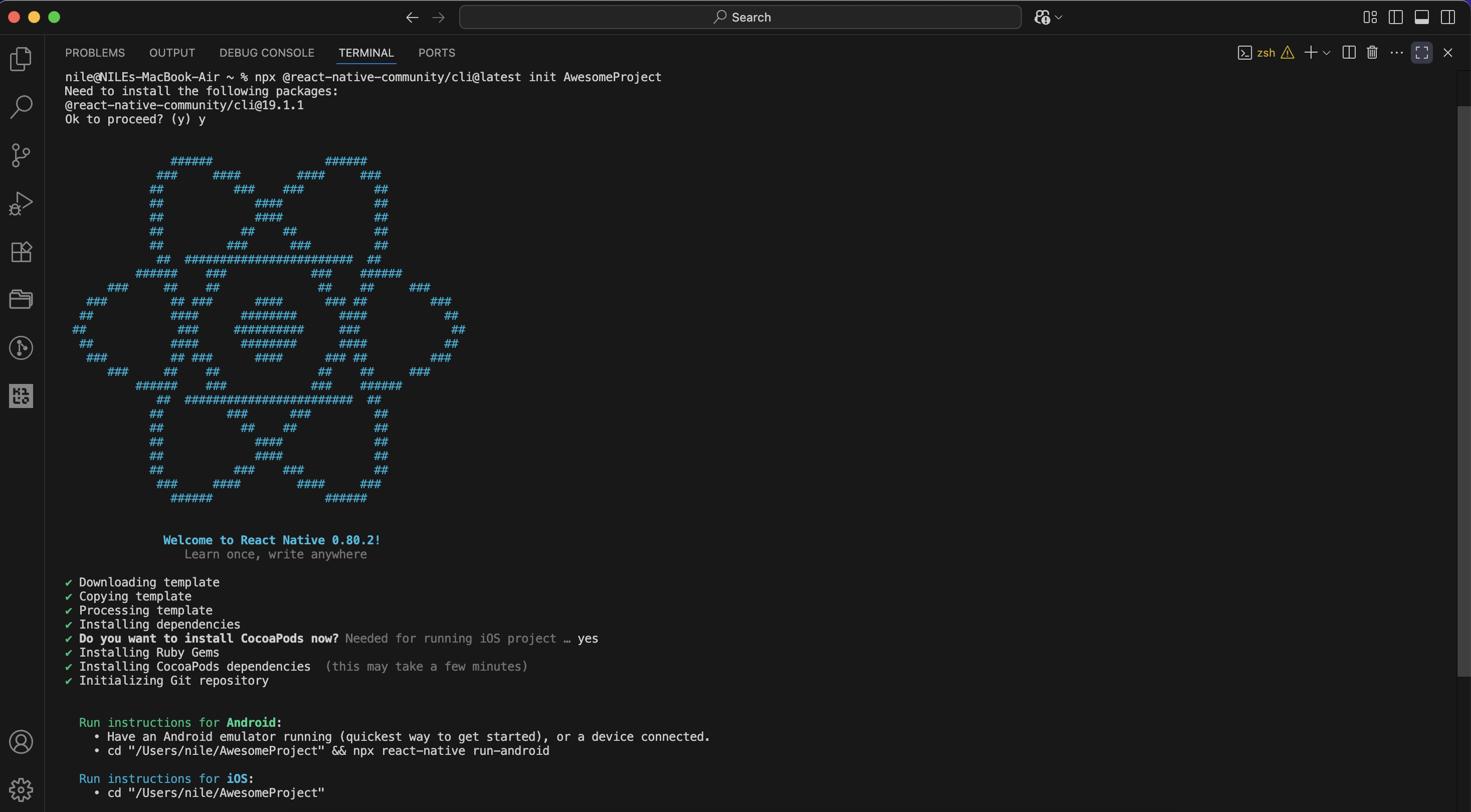
✅ Step 8: Verify Your Setup
If you see the welcome screen on your emulator/device, you're done!
✅ Summary of Steps
| Step | Why | Command |
|---|---|---|
| 1 | Install Node.js & Watchman | Download Node.js |
| 2 | Install Java JDK 17 | OpenJDK 17 |
| 3 | Install Android Studio | Android Studio |
| 4 | Set Up Env Variables | ANDROID_HOME and PATH |
| 5 | Install React Native CLI | npm install -g react-native-cli |
| 6 | Create Project | npx react-native init MyApp |
| 7 | Run Project | npx react-native run-android / run-ios |
| 8 | Verify Setup | Open App in Emulator or Device |
🚀 Conclusion
Congratulations! You’ve completed the React Native setup. Start coding and building your mobile app!
Facing issues? Check the official docs or visit forums like Stack Overflow.
Related Blog
React Native Project Structure: Understand the project structure
Understand the React Native project structure. How React Native organizes code.
Read More
React Native in 2025: A Strategic Deep Dive into its Evolving Landscape
A Strategic Deep Dive into its Evolving Landscape and Market Leadership.
Read More
React Native Installation Guide
Completed the React Native setup. Start coding and building your mobile app!
Read More